

Kindle Colorsoft Signature Edition (2026) Review: When Is Color Worth It?
Amazon's 32 GB color reader makes a better case for itself with a regular diet of comics, illustrated books or color-coded notes.
A color cover lasts a few seconds when you're about to read a novel. A color key in an illustrated book can matter on every other page. Both look like reasons to move from a Paperwhite to a Colorsoft when you're browsing the store. Only one is likely to change how you read often enough to make a $319.99 e-reader feel like a sensible purchase. The 2026 Kindle Colorsoft Signature Edition earns a recommendation for readers who use color frequently, already have a reason to stick with Kindle and will use at least one of the Signature extras. If your library is mostly prose, start with a Paperwhite. If color is the whole point and your books fit into 16 GB, look at the regular Colorsoft before paying for the upgrade.
The exact model here is Amazon's 2026 Kindle Colorsoft Signature Edition with 32 GB of storage. Amazon gives it a seven-inch color display, an aluminum housing, an auto-adjusting front light and charging contacts for a compatible dock. This assessment uses Amazon's published specifications and independent hands-on reporting by Cherlynn Low at Engadget and Aisha Malik at TechCrunch. Their reported observations apply to their devices and their reading habits. Fever's recommendation weighs those observations against different buying needs. Prices in the comparison are U.S. launch prices, which provide a starting point for comparing offers before Black Friday.
What the color layer can do for you
Color pays for itself in work the screen already has to do. On a page with several speakers or points of emphasis distinguished by color, the distinction can carry meaning. In a guidebook, it can make a route easier to find again. A reader who uses highlights to sort categories can give a single page more than one kind of markup. The upgrade is less consequential when the most visible splash of color sits on the book cover, then disappears when you turn to chapter one. The display is the main reason to consider a Colorsoft, and the particular book decides how often you notice it.
Malik at TechCrunch found the colors relatively subdued compared with those on an iPad, while still seeing an improvement over black-and-white Kindles when images called for it. Those impressions fit the jobs the two screens do. The Colorsoft is for a reader who wants to keep an e-paper device and add color where a page needs it. A vivid, richly shaded image on a larger tablet solves a different reading problem. If the type is small, the main issue may be that a seven-inch screen makes you enlarge the page. Color can help distinguish elements. More room is what lets you see their relationship and read the words together.
Amazon calls the redesigned screen edge-to-edge color. It remains worth distinguishing the 2026 treatment of the edges from the experience in the center of the page. Low at Engadget noted the new design's slimmer feel and matching front trim, changes that make the new device look tidier. The quieter question is what happens when you sit down with a book you already own. Before buying, pick one title where the images or notes actually mattered to you and one title you read mainly for the text. If the first is a rare exception in your rotation, a color screen may turn out to be a feature you shop for once and appreciate briefly.
I would also weigh the kind of color reading you already do against the size of the device. A graphic novel with spacious panels has different needs from a magazine layout full of captions and boxes. A small display can be a comfortable way to follow one continuous story while holding the device in one hand. The same size can make a reference work with a broad table cumbersome. Use a sample where one is available and pay attention to how often you need to change the view. If you find yourself moving around an entire page to read it, a larger display may do more for that book than the color option.
The $30 between the two Colorsofts
Amazon introduced the contemporary standard Colorsoft at about $290 and puts the Signature Edition at about $320. That $30 gets several tangible things. The Signature model has double the standard model's 16 GB storage, adds an automatic front light and changes the housing. There are additional options for turning pages and charging. If you've narrowed the decision to these two models, the premium is fairly small. The more consequential purchase decision happens before you reach that pair, because Amazon introduced the 2026 Paperwhite at about $200.
Storage is the Signature upgrade I would buy for a large offline library of illustrated titles. A frequent flyer who likes to load a whole series before leaving has a reason to want breathing room. Someone who reads one novel at a time has considerably less reason to pay for capacity. Storage is also a poor substitute for checking your actual collection. Look at what you've kept downloaded on the device you use now and how often you've had to delete something before a trip. You get a more reliable answer from that than from a general claim about how many books will fit.
The automatic front light makes a separate case. If you read in one place at one brightness most nights, setting the light manually takes little time. A person who moves from a bright train platform into a dim carriage, then keeps reading over lunch, has more chances to benefit from that adjustment. Malik liked the aluminum backing and found the slim device comfortable, and the finish held up during her review period while she rarely used the case provided with her unit. That is a useful observation about her use, rather than a guarantee about drops or what will happen inside a packed commuter bag.
Physical page turns also deserve a price check. The accessory that adds buttons is the optional Kindle Page Turn Cover, which Amazon introduced at about $80. A buyer specifically after those buttons is considering a setup around $400 at U.S. launch prices. Start by asking if you like the handling of a covered device and expect to use the controls often. Low pointed to the Kobo Libra Colour as a comparison because it already has page-turn buttons, a seven-inch color screen and 32 GB of storage. Consider it if your books and borrowing habits let you choose a different system easily. Malik did not have the Amazon button cover for testing, so her positive handling observations concern the reader itself.
Put the battery and library in the same decision
Amazon rates the Colorsoft for up to eight weeks of reading on a charge, compared with up to twelve weeks for the current Paperwhite. Those are stated estimates. Settings and use affect the result, and the review reporting cited here does not establish the exact number of days every reader should expect. Malik found that she rarely had to worry about charging during her time with the Signature model. She also preferred the relocated power button and noticed relatively few disruptive refreshes in her use. These are good signs for someone seeking a self-contained reader. A full schedule of charging dates would still depend on how you use the device.
There's another part of the purchase that usually lasts longer than a charge cycle. If you already pick up the same book on a Kindle and on a phone, or depend on Kindle Unlimited, Amazon's ecosystem has practical value. Low found the ability to continue her reading across devices worth factoring into any move away from Kindle. If almost all the books on your wishlist come from that store and you like the way the service works, comparing the new Colorsoft to the Paperwhite is sensible. If your collection follows you easily and the buttons or total purchase price are more important, you have a stronger reason to compare brands.
If you're buying it as a gift, make the library question the first one you ask. A reader who buys a favorite monthly comic digitally may be delighted by a small dedicated screen. A reader who checks out full-size art books from the library may prefer to keep those physical copies, even if the new device makes their novel collection more portable. Think through what the recipient reaches for on an ordinary weekend. The amount of time the device will spend on those books is a better predictor of its value than the moment they open the box.
A sale can make the last $30 gap smaller. It can also make a less expensive reader look even better. Read the model description and capacity on the listing before comparing discounts, because the catalog includes earlier Colorsofts and two variants introduced in 2026. Add accessories you know you want, then compare the totals. The device I would shortlist for a full backlog of comics and a well-established Kindle library is the 32 GB 2026 Signature Edition. With an occasional illustrated book and no interest in a dock or special cover, I would keep the standard edition in the running. For a holiday reading stack made up of novels, the Paperwhite gets the important work done and leaves a substantial difference in the budget for books.
Sources
- Amazon’s 2026 Kindle lineup announcement and specifications
- Amazon's guide to identifying the 2026 Colorsoft models
- Cherlynn Low’s hands-on Engadget review
- Aisha Malik’s hands-on TechCrunch review
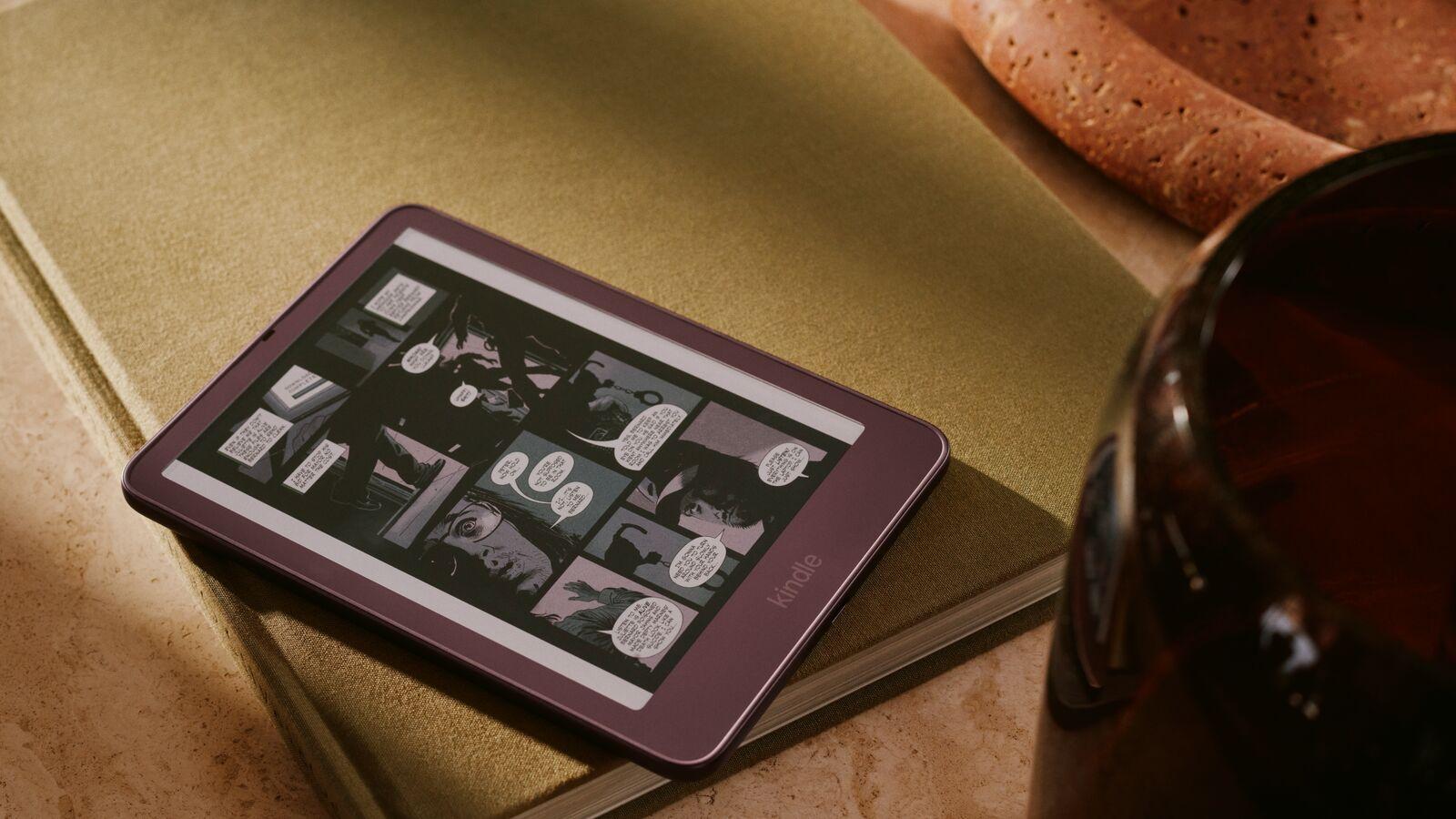
Amazon’s 2026 Kindle Colorsoft Signature Edition in Fig, shown in the company’s launch imagery.