

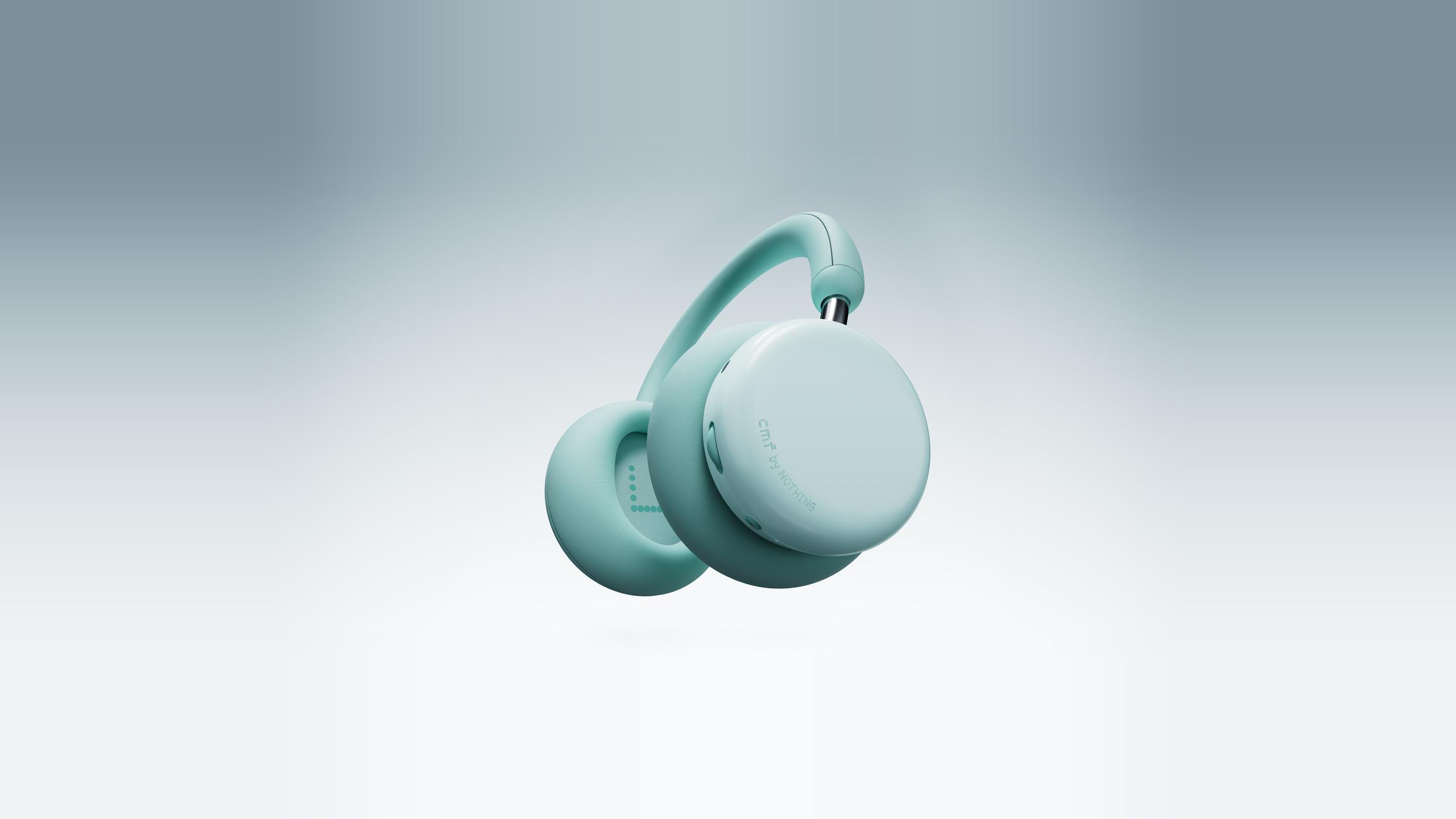
CMF Headphone Pro review: Start with the ear cushions
Nothing’s budget over-ears put replaceable pads, a volume roller and meaningful battery life within reach. The fit decides how much of the value you get.
An ear cushion does a surprising number of jobs for a part most of us look at only after it starts to peel. It helps keep the headphones in place, holds the driver at a certain distance from your ear and closes the gap where outside sound can get in. CMF by Nothing gives its Headphone Pro removable cushions in different colors. That makes for a good product photograph. It’s also a reason to consider the pair without caring in the slightest what color the cushions are.
I’d shortlist the CMF Headphone Pro for listeners who spend the week going between a desk and a train and want to keep their wireless over-ears close to the model’s original $99 US list price. The case comes from physical volume control, substantial measured battery life with active noise cancellation on and a modular part you actually touch. Try the fit before committing if you have an opportunity. The SoundGuys reviewer found the headband uncomfortable after a couple of hours, and a seal that doesn’t suit your ears can make the impressive-looking numbers less relevant. This assessment draws on Nothing’s specifications and independent hands-on use and measurements published by SoundGuys and TechRadar. The lab results are SoundGuys’ work.
What comes off and what stays
The Light Green, Light Grey and Dark Grey versions share the same basic design. Nothing launched them with interchangeable cushions and sold additional colors separately. The useful question is whether you can still find the right replacement when a pair you like gets worn. Check the current listing for the correct Headphone Pro pads and their availability where you live. A removable part can buy you time with something you like, provided you can get that part when you need it. This is a limited form of modularity and the strongest case for it is at the boundary between the hard cup and the part against your ear.
SoundGuys found that the cushions could be installed in a way that compromised the seal, including mixing up the sides. That detail is worth knowing if you plan to change them. The benefit of a detachable part depends on the attachment being straightforward enough to do correctly. Fit and sound on the far side of that swap are things you can evaluate yourself. With the original pads in place, listen to a familiar recording and spend a moment in a quiet room hearing how it sounds before you put anything back together. After a swap, compare the feel of the contact around each ear, and pay attention if one side suddenly seems to let more of the room in.
The headband is a different point of contact. SoundGuys found the cups generous and obtained a good seal around the ears, then noticed discomfort from the headband after a couple of hours. That is a more specific finding than calling a headset comfortable or uncomfortable. A fit can work at the ear and fail at the crown. People who wear glasses, or whose hair or head covering changes how the cups sit, get more information from an ordinary commute or a long sitting than from pressing the cups to their ears for a few seconds. Check the return terms if you need that time. The cups rotate flat into the included soft pouch, so someone with a small bag should check the packed shape as well. The hinges do not make it into a compact folding bundle.
Put the control you use first
The control I’d shop for is the roller. Turning it changes volume, which you can do without looking down at a phone. SoundGuys found it easy to locate by touch. That is one of the few features you can appreciate twice within the time it takes to pass through a busy station. The smaller neighboring controls did less well in that tester’s hands. A command to mute a mic or switch modes is useful only if it’s the one you hit. If that kind of quick adjustment is a priority, try the controls you expect to use most before spending time assigning shortcuts in the Nothing X app.
The Energy Slider adds an adjustment for bass and can be remapped to treble in the app. SoundGuys measured roughly 8 dB more low-end emphasis between the minimum and maximum positions in its frequency-response comparison. That’s a substantial shift, even though a listener’s experience of it will depend on the program material and their fit. A bass line that already sits up front has less room to get bigger without competing with a voice. A sparse track with a quieter kick can tolerate more weight. The convenience of making that change by touch is real. The dramatic end of the range is more interesting as an option than as a permanent setting.
The same idea applies to the app’s presets. Start with a voice you listen to often and a song where you know how the low end is balanced. SoundGuys heard a sometimes cloudy effect from an emphatic bass setting and a thinner sound from the voice-focused preset. A little clarity for a spoken podcast may be worth a preset that you wouldn’t leave on for music. Audiodo’s Personal Sound feature, which plays tones during setup and stores a profile on the headphones, is another option in the app. It adjusts playback and belongs in the same listening comparison as any other tuning control. Give the default sound a fair try first, since that’s the baseline available even when you don’t feel like managing settings.
For the train, budget the battery with ANC on
SoundGuys measured 43 hours and nine minutes with active noise cancellation enabled in its standardized rundown. That fell short of CMF’s advertised 50-hour figure with cancellation and offers a stronger planning number than the brand’s 100-hour headline, which is for playback with ANC off. Imagine five days with a two-hour round trip and two additional hours of listening each day. That’s twenty hours, comfortably below the lab result. A second week at that pace leaves much less margin. Codec, playback level and other settings can eat into it. For most intermittent commutes, the advantage is freedom to skip the cable for a few days even while you use the feature you paid for.
SoundGuys’ isolation measurements give the rough shape of the quiet. The review found around 30 dB attenuation in parts of the bass and sub-bass range, where a share of engine and road rumble sits, and higher readings in parts of the upper frequencies. Those are points across a frequency curve, not a single amount you can subtract from every sound around you. The reviewer also preferred choosing the high ANC setting manually to leaving adaptive switching in charge. In a familiar carriage, that gives you a simple comparison to make. A steady setting can be easier to live with if you notice the presentation changing as you walk through a station.
For the desk, SoundGuys found the microphone suitable for casual calls when there wasn’t much background noise and published examples made under several conditions. Those clips are the first place to go if a hard-to-hear meeting is the reason for the purchase. Our Soundcore Space 2 Pro review starts from a different priority, how much the person across the call can hear. Someone looking to make music, podcasts and occasional calls move between devices has a better case for CMF. There’s Bluetooth multipoint for two connections, which TechRadar’s tester found useful for alternating phone music and laptop meetings. The 3.5 mm connection covers analog playback, while USB-C charges the headphones. If you were picturing one USB cable for digital audio and charging, these won’t deliver that setup.
The fit is the verdict
CMF makes the most sense for the person who wants a volume control that feels like a control, endurance for several trips, and a lower commitment than a flagship pair. The battery test and frequency measurements are the strongest parts of that case. The swappable cushions belong in it if replacements are easy to find and fit well. SoundGuys’ long-wear impression, the small secondary controls and its basic call assessment are reasons to buy with a little room to reconsider.
The release price makes a useful reference point during sale season. If a nearby model is cheaper, compare the specific daily conveniences that would survive after the discount. If a more expensive pair is temporarily close, look for a concrete upgrade in the kind of use you have. A smaller case has value to someone whose headphones already fight for space beside a laptop. More control over the EQ matters to a person who enjoys fine adjustments. Either can justify moving up a tier if it solves a problem you meet often. Check the actual checkout price and the cost of any spare pads before comparing the options.
On the first day, listen for the part you most wanted to change. A person buying to get away from the low rumble of morning travel can judge that in the first ride. Check whether the pair still sits well by the end of a normal session. Give the volume roller a few turns and leave the bass slider where it serves the music. A week in, those ordinary details will tell you more about how good the purchase was than the finish you chose.
Sources
- Nothing US — exact CMF Headphone Pro model, controls and specifications
- Nothing Community — official US launch pricing and product introduction
- Nothing Technology Japan — press announcement and downloadable imagery
- SoundGuys — original lab measurements and hands-on review
- TechRadar — hands-on use and Bluetooth multipoint
- Tom’s Guide — independent November buying guide and current budget shortlist context
CMF by Nothing’s Light Green Headphone Pro in an official product render. Photo credit: CMF by Nothing / Nothing Technology Japan.